Send feedback from the app Fastest
This sends us the details we need to troubleshoot quickly.
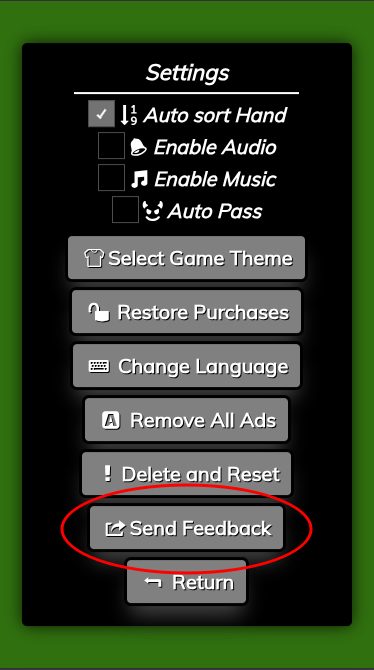
- Open Settings in the app.
- Tap Send Feedback.
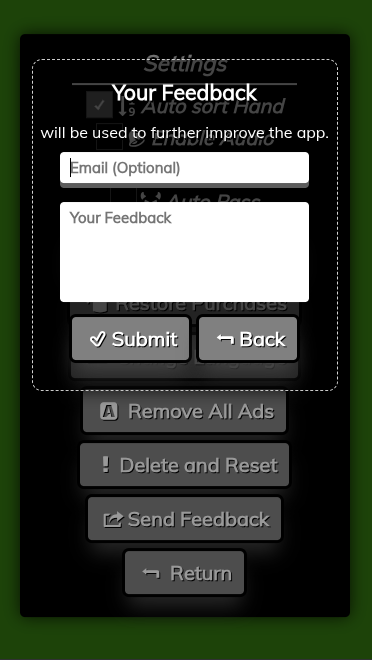
- (Optional) Add your email so we can reply.
- Describe what happened and tap Submit.
What to include in your message
- What you were doing right before the issue.
- What you expected vs. what actually happened.
- Your device model and OS version (if you know it).
- If it’s multiplayer: whether you were on Wi‑Fi or cellular.
Account deletion / reset
You can permanently delete the currently logged‑in account from within the app.
Warning: Using Delete and Reset will wipe your currently logged‑in account and its data from this device.
This cannot be undone.
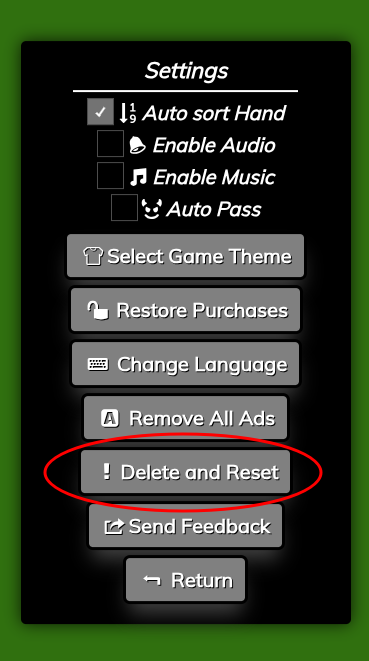
- Open Settings in the app.
- Tap Delete and Reset.
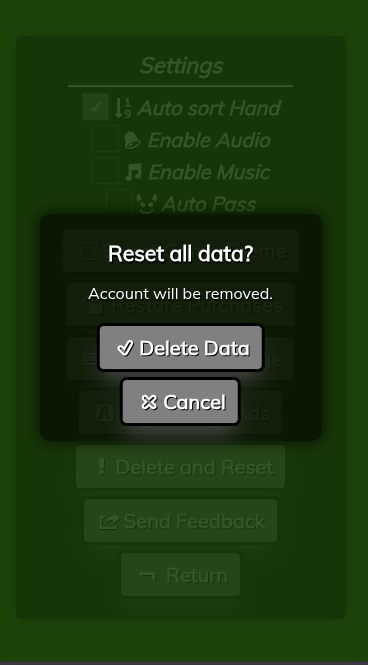
- Confirm by tapping Delete Data.
FAQ
I bought “Remove Ads” but still see ads.
Try Settings → Restore Purchases. If it still doesn’t restore, send feedback from the app and include the email used on your App Store/Google Play account (if comfortable).
How do I change language?
Go to Settings → Change Language, pick your preferred language, then return to the game.
Multiplayer won’t connect / keeps disconnecting.
Check your network first (Wi‑Fi is best). If you’re on a restricted network, try a different connection.
If it persists, use Send Feedback and mention your network type (Wi‑Fi vs cellular) and the approximate time it happened.
How do I delete my account?
Use Settings → Delete and Reset. Warning: this will permanently wipe the currently logged‑in account and its data from this device.
This action cannot be undone. (See screenshots above.)
I lost my progress / stats.
If you used Delete and Reset, progress may be cleared intentionally. If you did not reset, send feedback and include what changed (device upgrade, reinstall, etc.).
The game audio/music doesn’t work.
Confirm Enable Audio / Enable Music are turned on in Settings. Also check your device mute switch (iOS) and volume level.
How do I report a bug or suggest a feature?
Use Settings → Send Feedback (see screenshots above). Include steps to reproduce if possible.